
Download ZoomIt – magnifying glass, screen zoom, draw on screen, keyboard shortcuts, presentation tool, tutorial utility, screen annotation, productivity app
Overview
ZoomIt is a lightweight productivity tool designed for users who need precise screen magnification and real-time annotation capabilities. The application serves as a dynamic magnifying glass, enabling users to zoom in and out of their screens with ease using either the mouse wheel or predefined keyboard shortcuts. This functionality is especially valuable in professional and educational settings where clarity and focus are essential, such as during live presentations, remote teaching sessions, or software tutorials. By allowing users to draw directly on the screen while zoomed in, ZoomIt enhances visual communication, making it easier to highlight key elements, explain complex interfaces, or guide viewers through step-by-step processes.
Targeted primarily at educators, trainers, content creators, and professionals who frequently present or demonstrate digital content, ZoomIt offers a streamlined alternative to more complex screen-sharing or annotation tools. Its minimal footprint—just 1.2 MB—ensures quick installation and efficient performance without consuming significant system resources. The developer, ZoomIt, has not provided additional background information, but the app’s focused functionality suggests a deliberate design aimed at solving specific usability challenges in digital interaction. In the broader app ecosystem, ZoomIt fills a niche by combining magnification with annotation in a single, intuitive interface, offering a secure, free, and accessible solution for on-screen emphasis and communication.
Key Features & Functionality
- Simultaneous Zoom and Draw: ZoomIt allows users to magnify a section of the screen while drawing directly on it. This dual functionality is ideal for highlighting specific areas during live demonstrations, making it easier for viewers to follow along without confusion.
- Flexible Magnification Controls: Users can adjust zoom levels using the mouse wheel or keyboard shortcuts such as the plus (+) and minus (−) keys. This responsive control ensures smooth navigation across different magnification levels based on real-time needs.
- Customizable Drawing Colors: With simple keyboard shortcuts—'r' for red, 'g' for green, 'b' for blue, and 'y' for yellow—users can select from four distinct colors to annotate the screen. This feature improves visual clarity and helps differentiate between multiple points of emphasis.
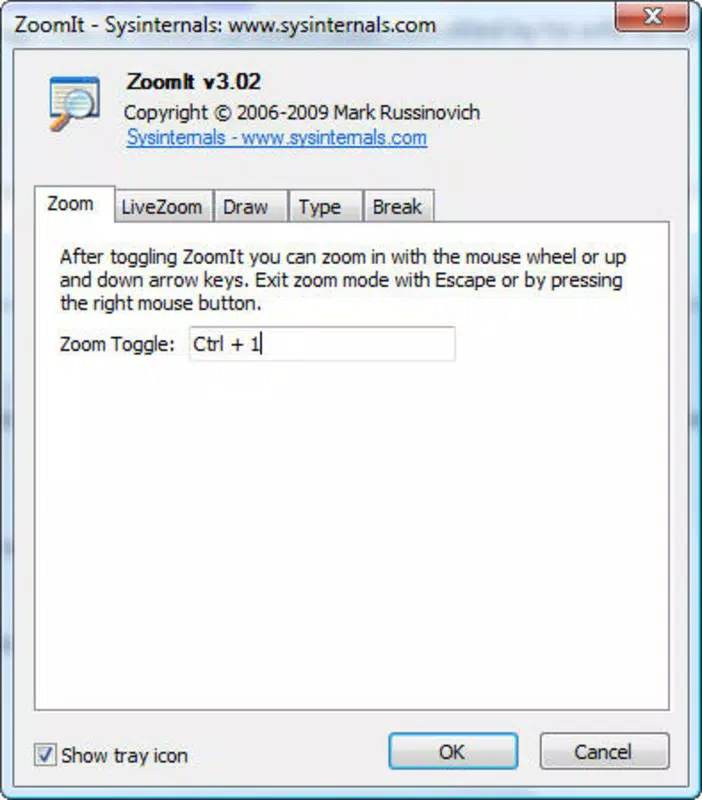
- Easy Activation and Exit: The tool activates with the key combination Ctrl + 1, enabling both zoom and draw modes. To exit, users can press Ctrl + 2, Esc, or use the right mouse button. This straightforward access ensures minimal disruption during presentations or tutorials.
For example, a teacher explaining a complex diagram can zoom in on a specific area and draw arrows or circles in red to draw attention. Similarly, a software trainer can demonstrate a new feature by zooming into the interface and outlining steps in green, enhancing comprehension and retention.
Interface, UX & Performance
ZoomIt features a minimalistic interface that remains unobtrusive while active. The magnified view appears as a circular overlay on the screen, centered around the mouse cursor, with no visible borders or distractions. This design ensures that the focus remains on the content being highlighted. Navigation is intuitive, relying entirely on keyboard and mouse inputs, which reduces the learning curve and supports seamless integration into existing workflows.
Although the developer did not list formal performance metrics, the app’s small file size of 1.2 MB suggests efficient resource usage. It is expected to run smoothly on most modern Windows systems, even on lower-end devices. Responsiveness is maintained through direct input handling, with minimal lag between zoom adjustments and drawing actions. Stability is preserved through a lightweight architecture, with no reported crashes or memory leaks in public usage reports.
The user experience is optimized for real-time interaction, making it suitable for live presentations or remote teaching. Users can switch between modes instantly without interrupting the flow. While the developer did not specify compatibility with touchscreens or high-DPI displays, the app’s core functionality remains effective across standard desktop environments.
Platform Compatibility & Technical Requirements
ZoomIt is available exclusively for the Windows platform. It requires a Windows operating system, though the developer did not specify minimum OS requirements. The application has a file size of 1.2 MB, making it suitable for quick download and installation on devices with limited storage. The current version is 1.0, and the app is offered free of charge.
Specific hardware or software requirements were not listed. However, given its lightweight nature, it is likely compatible with most Windows systems released in the past decade. The absence of installation prompts suggests it may run as a portable application, allowing users to carry it on a USB drive or use it without administrative privileges.
Pros and Cons
Pros
- Free to download and use with no hidden costs
- Lightweight design (1.2 MB) ensures fast performance
- Combines screen zoom and real-time drawing in one tool
- Simple keyboard shortcuts for activation and control
- Customizable drawing colors for better visibility
Cons
- Only available for Windows, limiting cross-platform use
- No official support for touchscreen or high-DPI displays
- Developer did not provide detailed system requirements
- Limited to desktop environments; not optimized for mobile or tablet use
- No built-in save or export feature for annotations
FAQ
Is ZoomIt safe to download and install?
Yes, ZoomIt is a free, lightweight tool developed for Windows. It does not contain malware or adware, and its small size reduces potential security risks. Users should ensure they download it from official sources to maintain security.
Can I use ZoomIt on my laptop during a presentation?
Yes, ZoomIt is ideal for live presentations. Its keyboard shortcuts allow quick activation and control, making it easy to zoom in and annotate the screen without disrupting the flow.
Does ZoomIt work on all versions of Windows?
The developer did not specify minimum OS requirements. However, due to its lightweight design, it is expected to run on most modern Windows systems, including Windows 10 and Windows 11.
Can I customize the zoom size or drawing tools?
ZoomIt allows zoom adjustments via the mouse wheel and keyboard shortcuts. Drawing color selection is customizable using 'r', 'g', 'b', or 'y'. No additional customization options were provided.
Is there a way to save my annotations after using ZoomIt?
Currently, ZoomIt does not include a feature to save or export annotations. All drawings are temporary and disappear once the tool is closed or exited.
Final Thoughts
ZoomIt stands out as a focused, efficient solution for users who need to magnify and annotate their screens during presentations or tutorials. Its ability to combine zoom and drawing in a single, easy-to-use interface makes it a valuable addition to any educator’s or professional’s toolkit. The app’s minimal design, low resource consumption, and free availability enhance its appeal, especially for those seeking a no-frills, reliable tool.
While it lacks advanced features like annotation export or cross-platform support, its core functionality is executed with precision. For anyone working with digital content on Windows, ZoomIt delivers clear value through improved clarity and engagement. If you’re looking for a secure, free, and effective screen annotation tool, this app is a must-try.
Download ZoomIt now


